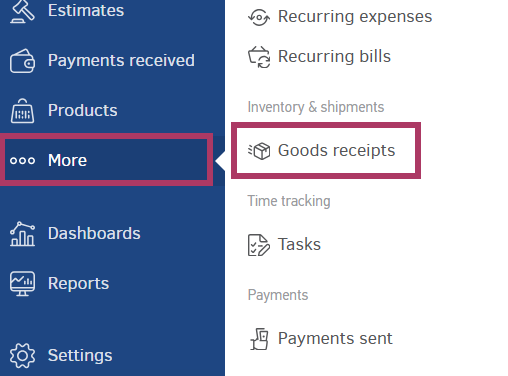
In Elorus, you can issue a Goods Receipt by clicking sequentially from the main menu: ...More > Goods Receipts > Add.
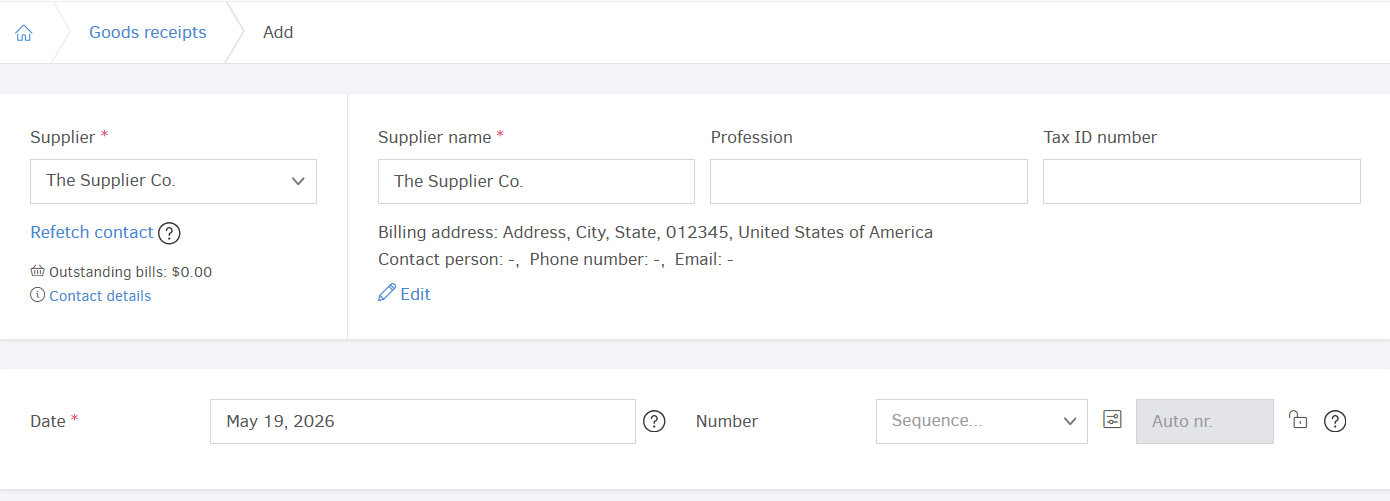
Supplier Details
As with the other document types, it is necessary to fill in the supplier's details. If you have not already created a Contact for the supplier, you can create one directly in this field by selecting +Add new supplier.
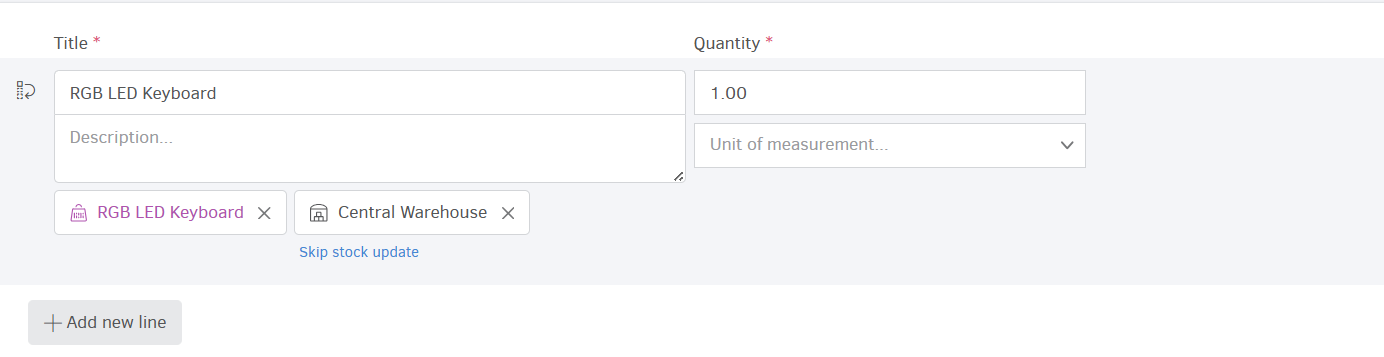
Product Lines
In the product lines you specify the Title and Description of the products received, the Quantity, as well as the Unit of measurement. If you wish, you can select products that are already registered in your organization’s inventory through the Product field.
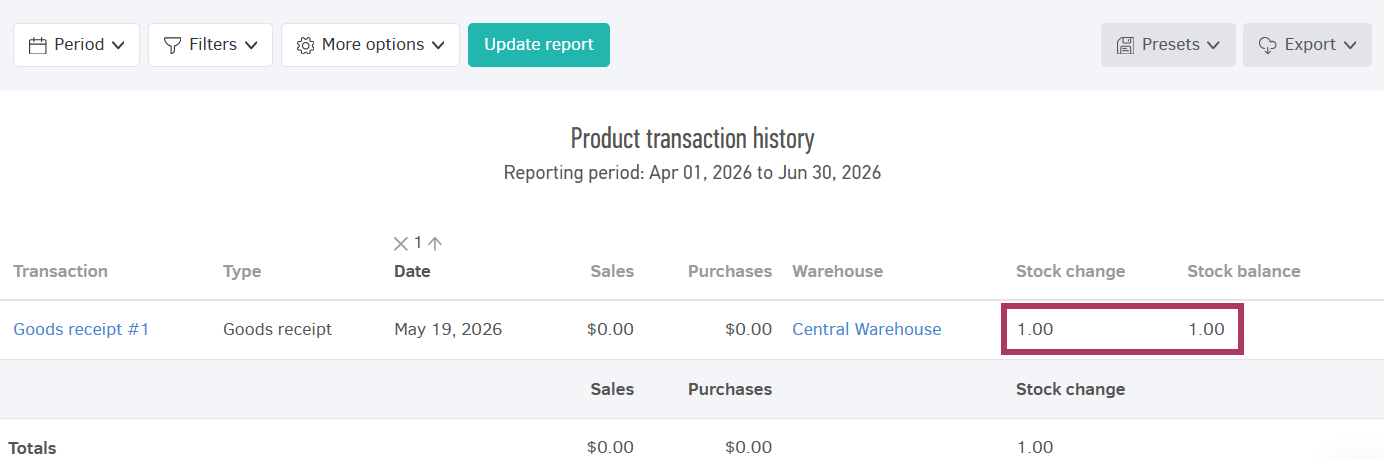
If you select a product from the inventory and Stock management is enabled, then the transaction is also recorded in the product transaction history. Furthermore, stock balance is updated in real time.
Of course, you can add more lines to include different products using the “Add line” option.
Template
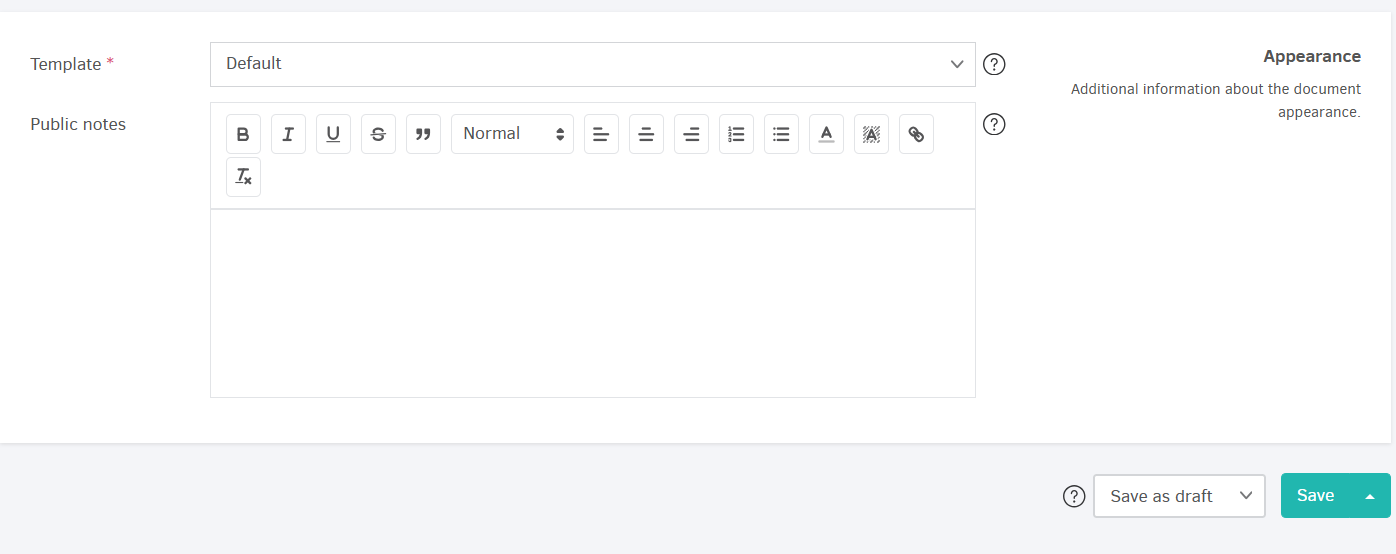
The Template you select determines the appearance of the Goods Receipt (layout, logo, etc.) and defines the language of the printable document. The application will automatically prioritize the appropriate template based on the following:
- The customer’s default invoicing template,
- The organization’s default template.
Public Notes
The Public Notes field is a free-text field where you can include additional comments that will appear on the printable version of the Goods Receipt.
If the selected Template already includes notes, they will automatically appear into the relevant field as soon as the template is selected, and you may then modify the text if needed.
Saving Goods Receipts
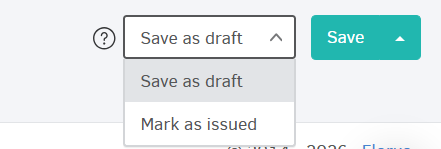
Once you complete filling out the details of a Goods Receipt, you may choose whether you want to save it as a Draft (the document can still be edited) or whether you want to issue it (editing is complete).
More Save Options
- Save and add new: the Goods Receipt is saved (either as Draft or as Issued), and you can immediately add a new Goods Receipt entry.
- Apply changes: any changes to the document are saved, and you stay on the form for further editing.