

Elorus allows you to override template-level display settings on a per-document basis, without modifying the default configuration defined under the Templates menu.
This functionality is useful when document-specific adjustments are required — for example, when issuing a document where a discount does not apply and therefore discount-related fields should be excluded from the layout.
After saving a sales invoice or estimate, select the gear icon to access the document configuration panel (see image below).
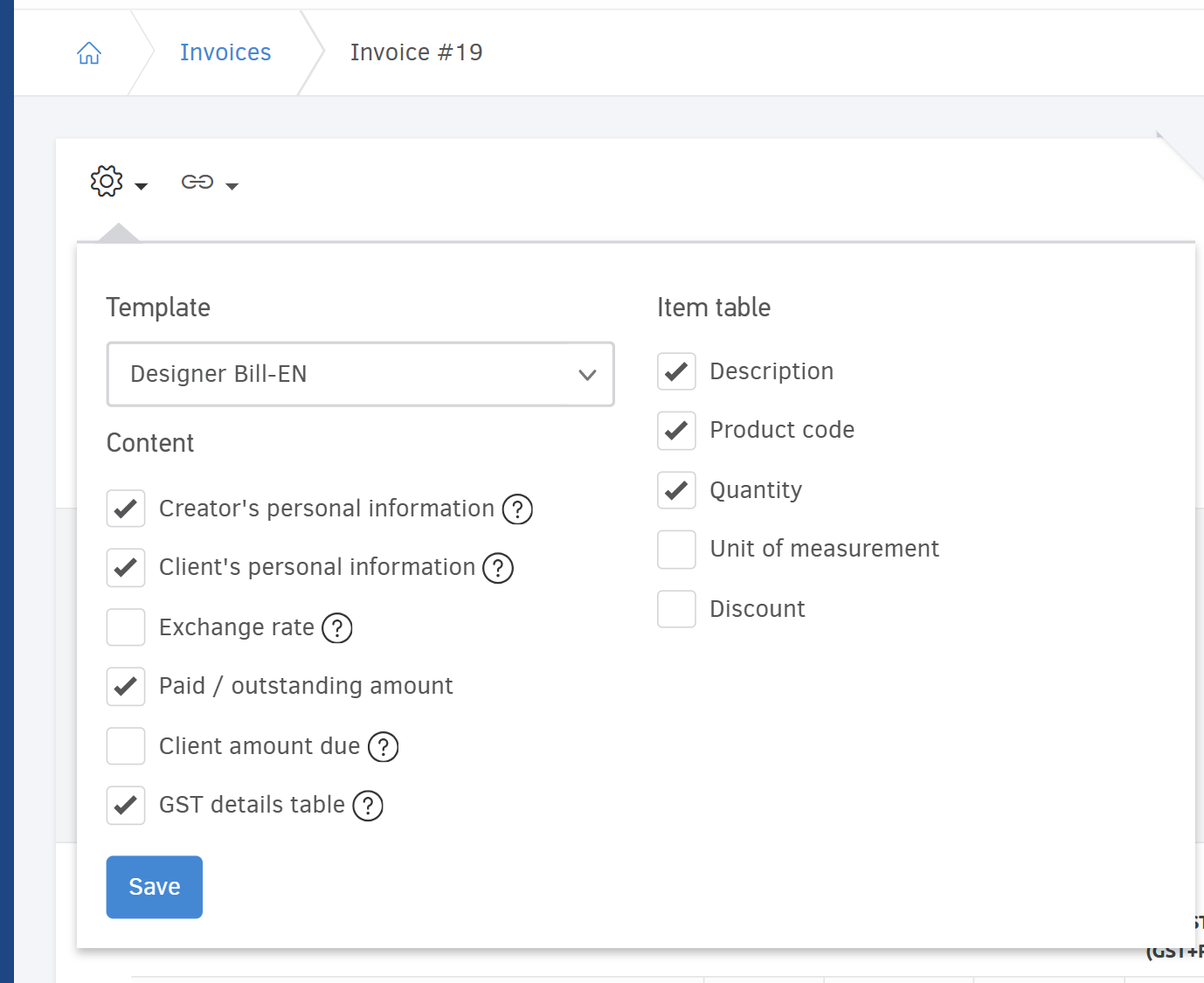
From this panel, you can enable or disable individual display options that affect the document layout.
For example, if a discount does not apply, disable the corresponding option to exclude discount-related information from the document.
Template
You can choose a different template for this particular document. This will not affect the default template settings of the contact.
Content
You can change the content without affecting your template.
Creator's personal information
If you choose this information to appear on the document, the creator's name, email and contact number will appear on it. If displayed, this information will be extracted from the user's profile.
Client's personal information
Client's personal information appear on the document (name, phone number, email).
Exchange rate
Show the exchange rate if the currency is different.
Paid / outstanding amount
Show or hide the paid and outstanding amounts for a specific document. These values reflect the document’s balance at the time of issuance.
Client amount due
The client's total amount due.
VAT details table
The VAT table analyzes the amounts of each VAT rate found on the document.
Item table
Choose whether you want Elorus to show / hide various columns from the items table:
-
Description
-
Product code
-
Quantity
-
Unit of measurement: Define whether the unit of measurement column will be displayed on the document.
-
Discount: The discount column can be hidden only if no line items include a discount.